Development Roadmap
Testing
Open
Testing
Beta
Release
Release
We're in Closed Alpha - join the waitlist for updates and early access.



Cue management,
redefined.
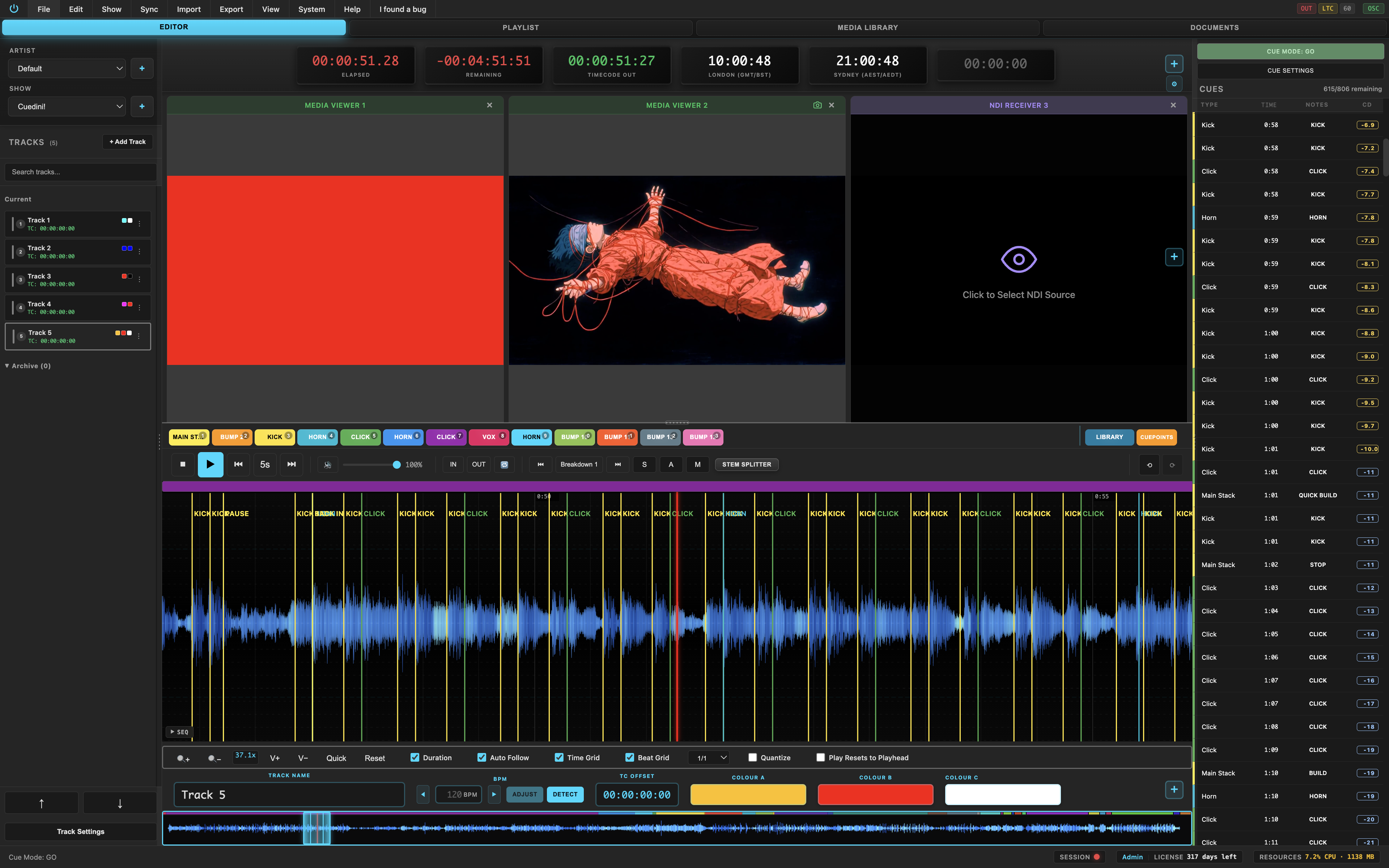
Professional audio and video cue management with AI stem separation, live timecode sync, NDI output, pyro allocation and show-ready paperwork.
 Receive
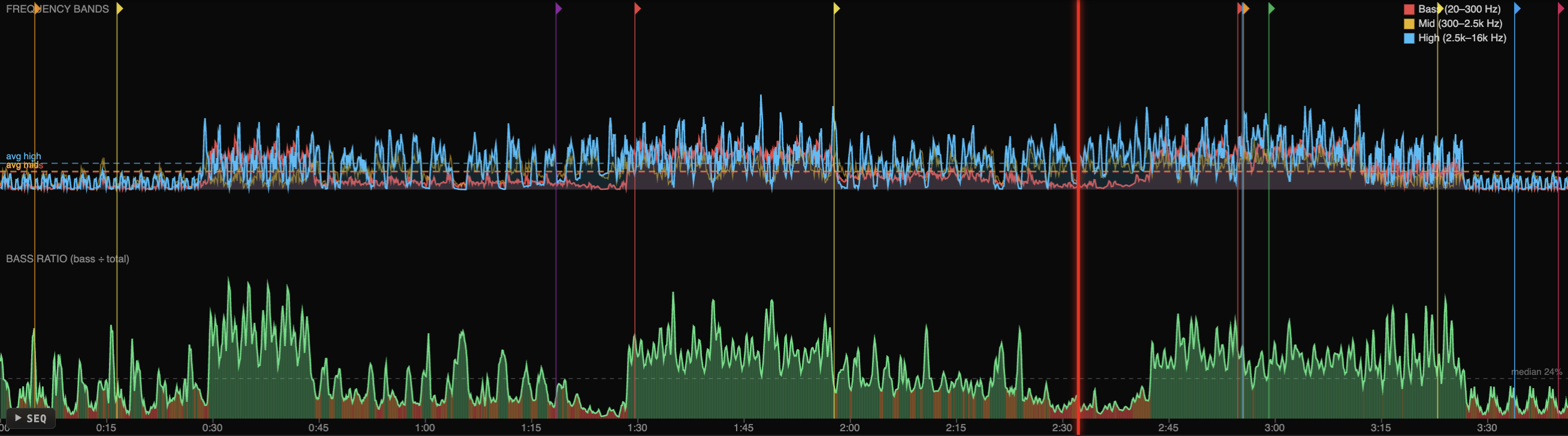
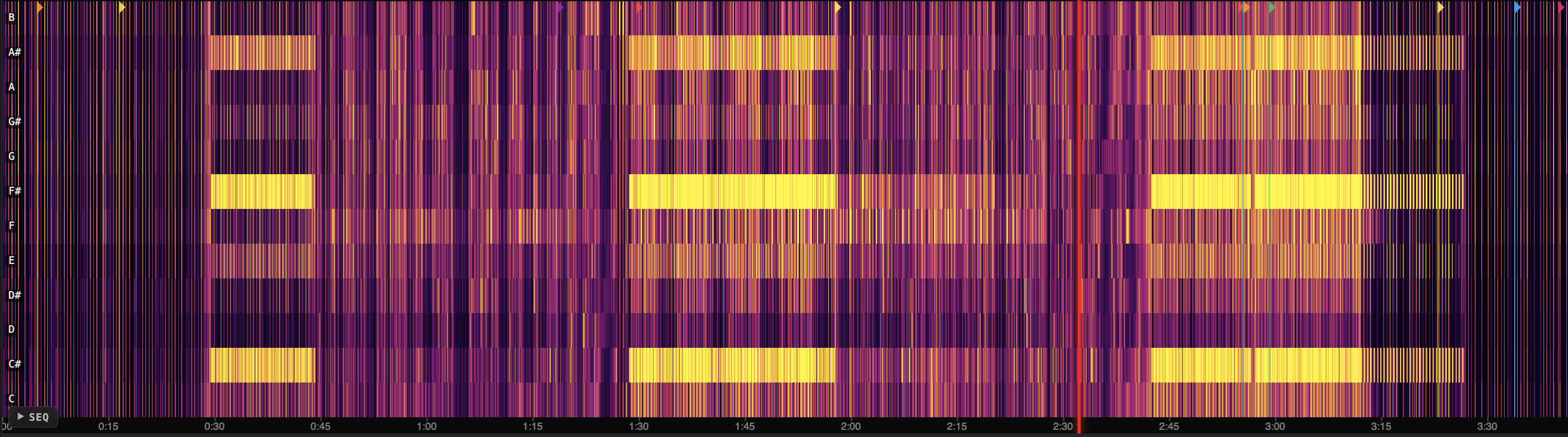
Frequency analysis
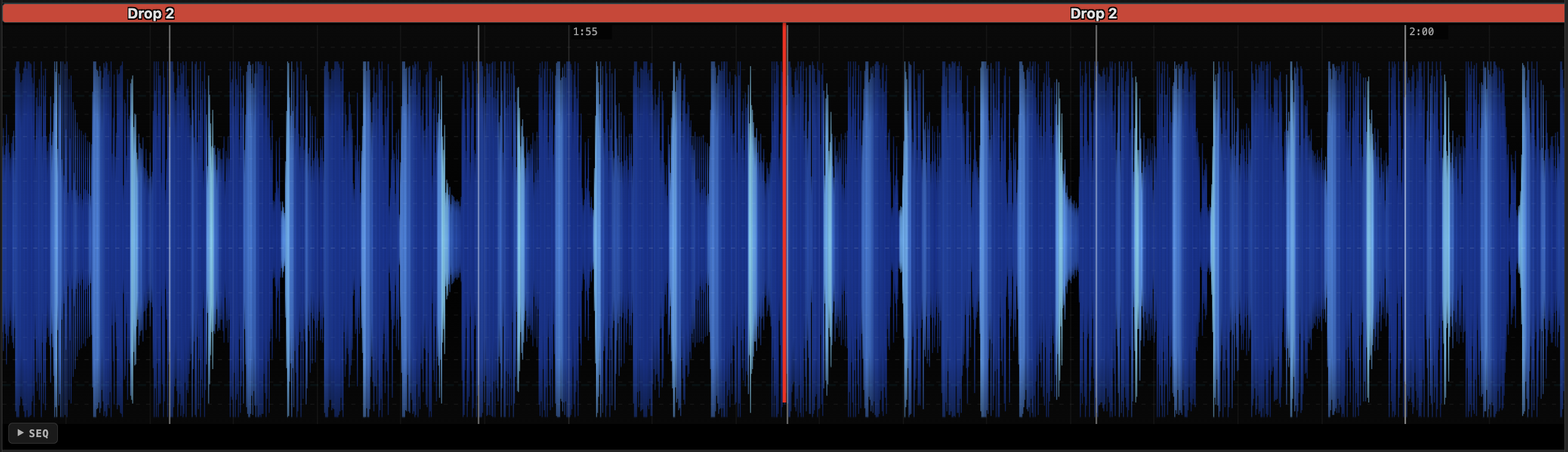
Triband frequency-coloured waveforms.
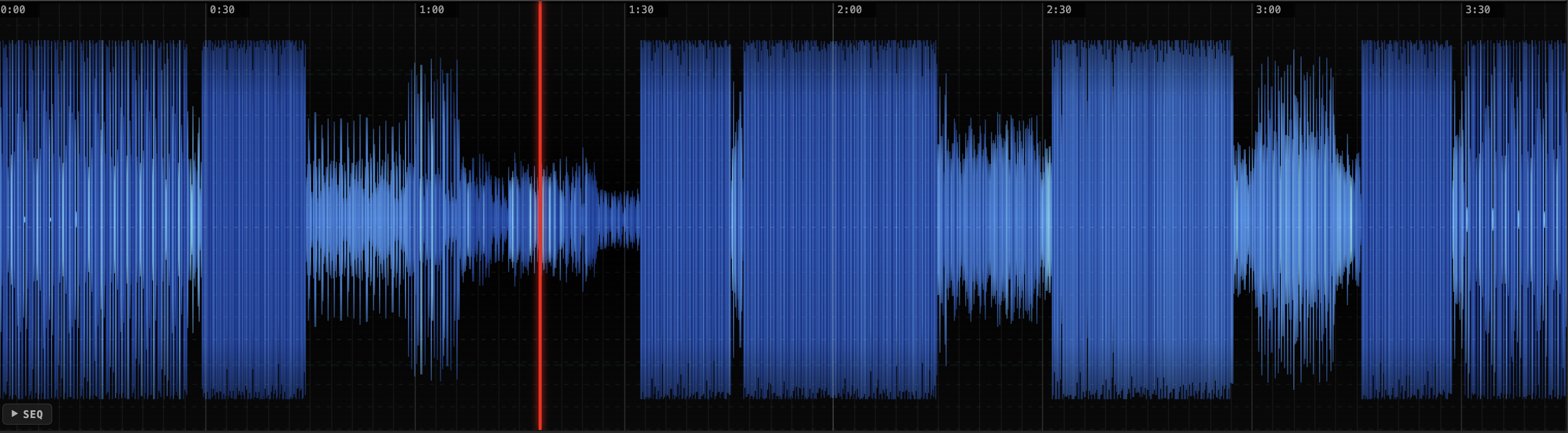
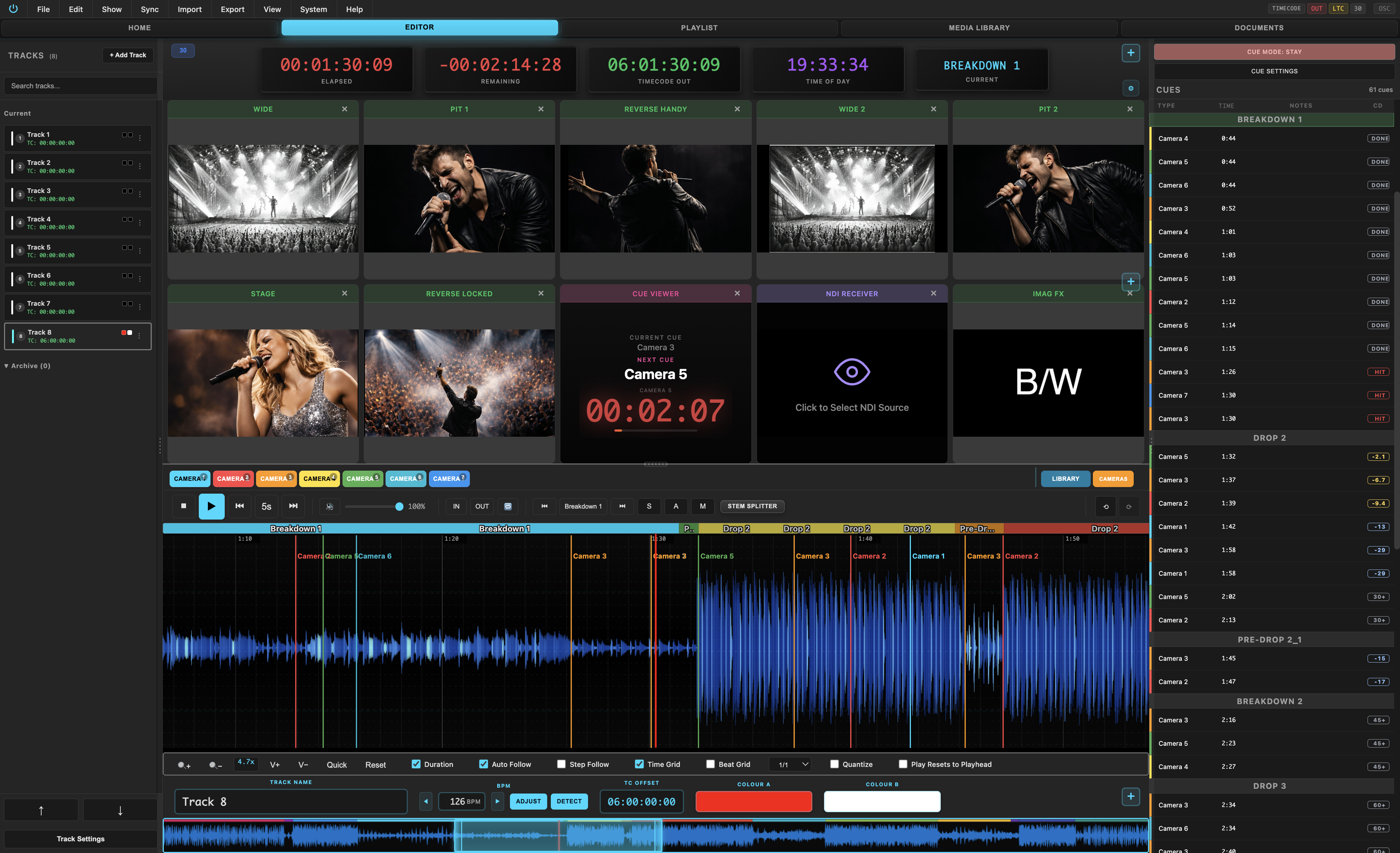
Every pixel is coloured by its frequency content. Bass, mids and highs are analysed via FFT and mapped to a triband colour gradient, giving you an instant visual read of your audio's spectral balance at any zoom level.
Bass
Low frequencies render as deep navy blue. Kick drums, sub-bass and low-end energy are immediately visible in the waveform.
Mids
Mid-range content appears as bright blue and cyan. Vocals, guitars, synth leads and snare body sit clearly in the centre of the spectrum.
Highs
High frequencies glow as light cyan and near-white. Hi-hats, cymbals, vocal sibilance and transient detail stand out at a glance.
Custom triband colours
Set your own colours for bass, mid and high bands. Switch between triband, solid blue, beat-strength and structure-coloured modes.
RMS & loudness analysis
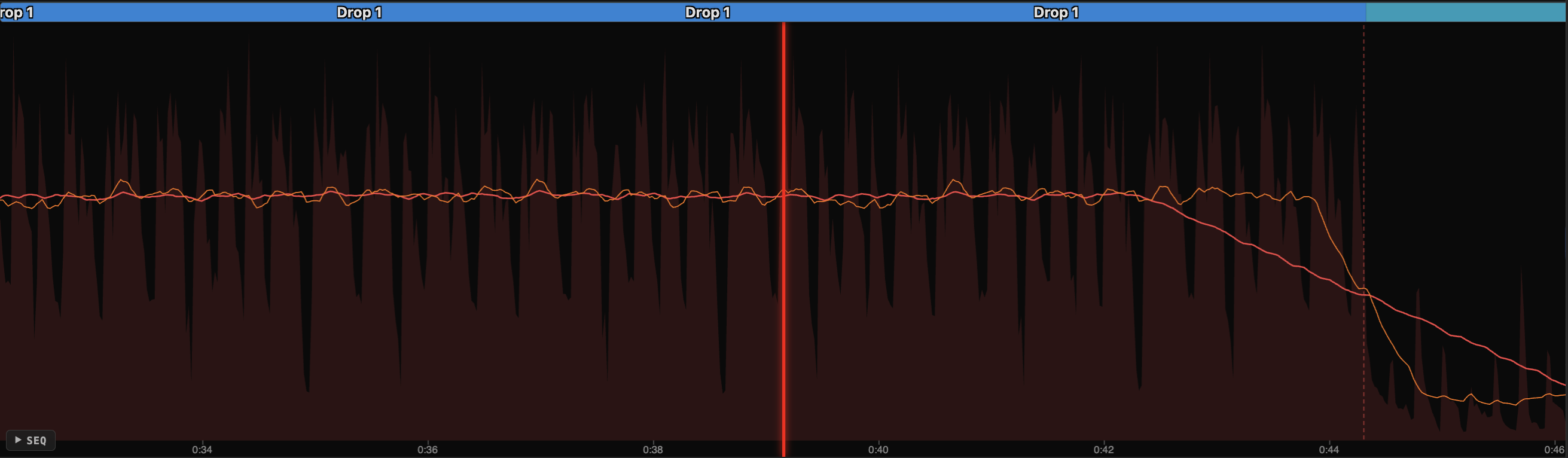
Overlay RMS loudness curves on the waveform to visualise dynamic range and energy flow across your track in real time.
Beat grid & BPM
Snap to beat grid with BPM detection. Choose from 1/16 to 4/4 resolutions with adjustable grid offset for frame-accurate alignment.
Camera planning
Storyboard the show.
Visual planning tools for every department, built right into your show file.
SYNC WITH CUEDINI
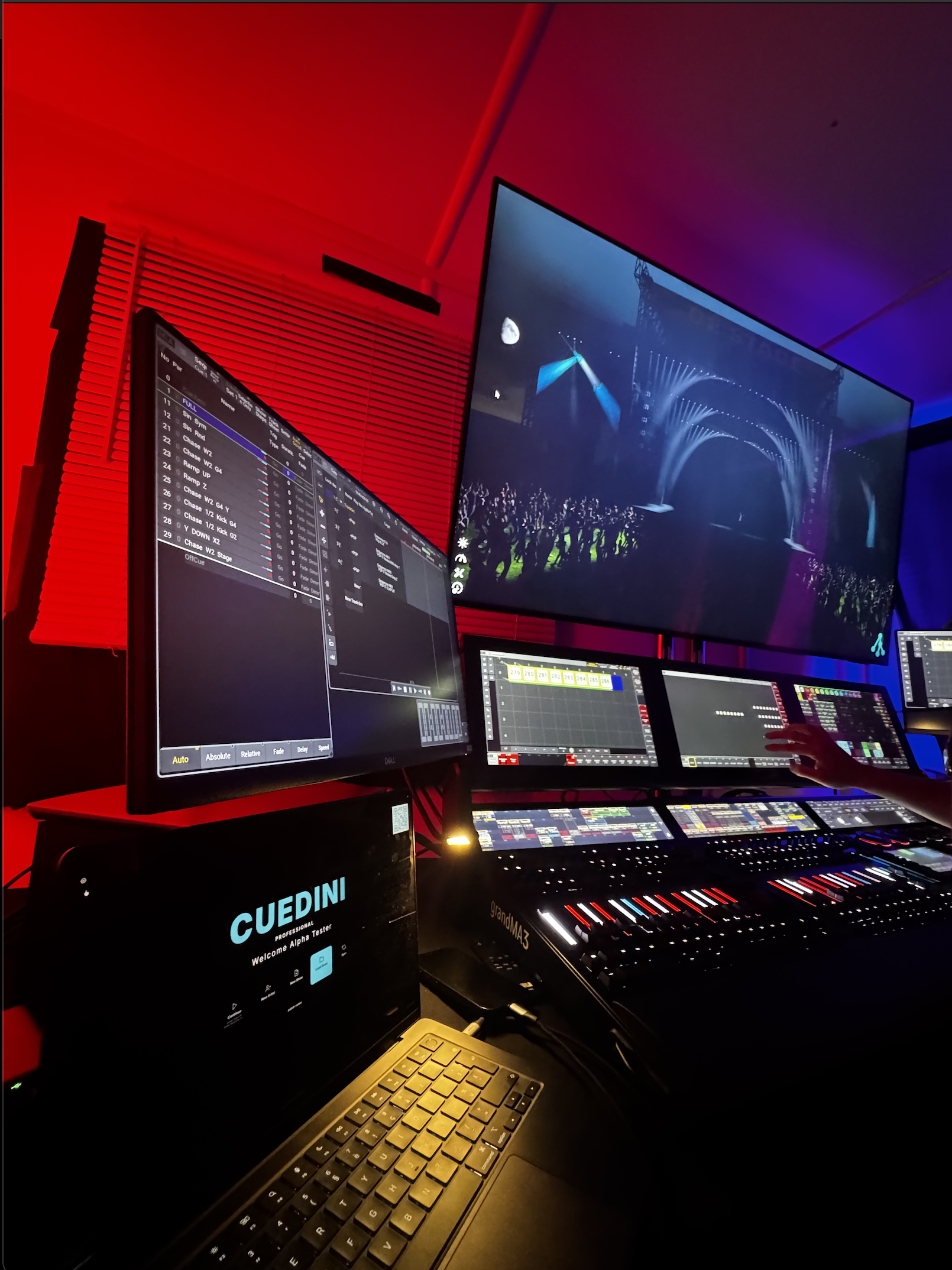
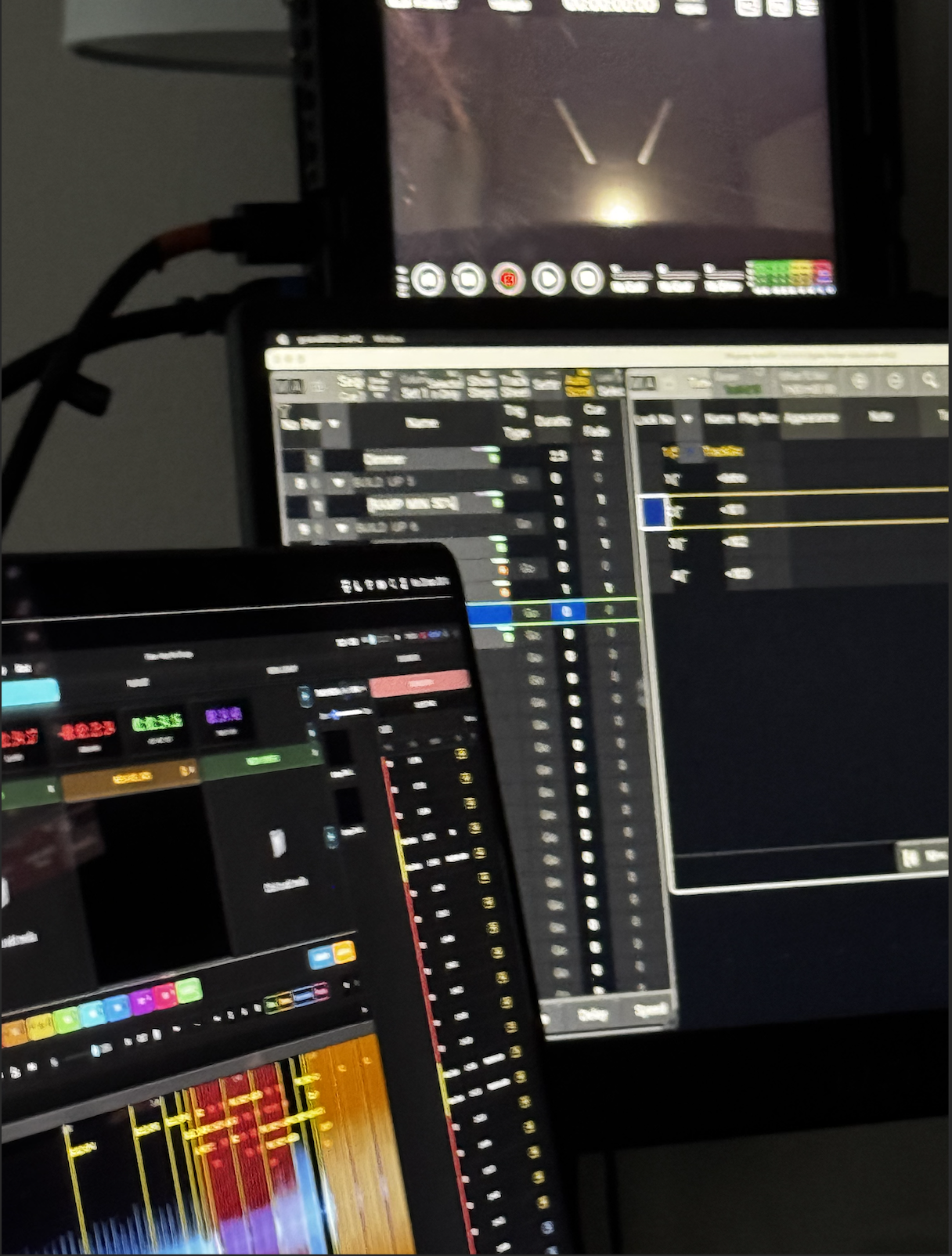
Any update you make in Cuedini is pushed to your GrandMA3 in real time - no manual re-entry, no delay.
Local live sync + control
Sync with your team in real time.
Sync with other Cuedini users live and control playback and updates together. Share your session code, join the same show and keep playhead and cues aligned across every connected operator.
1) Share session code
Create a local live session and share the code with your team to join instantly.
2) Join + live sync
Operators join with the code and sync to the same session state in real time.
3) Live control + updates
Playback actions and timeline updates sync live between users to keep everyone locked.
AI stem separation
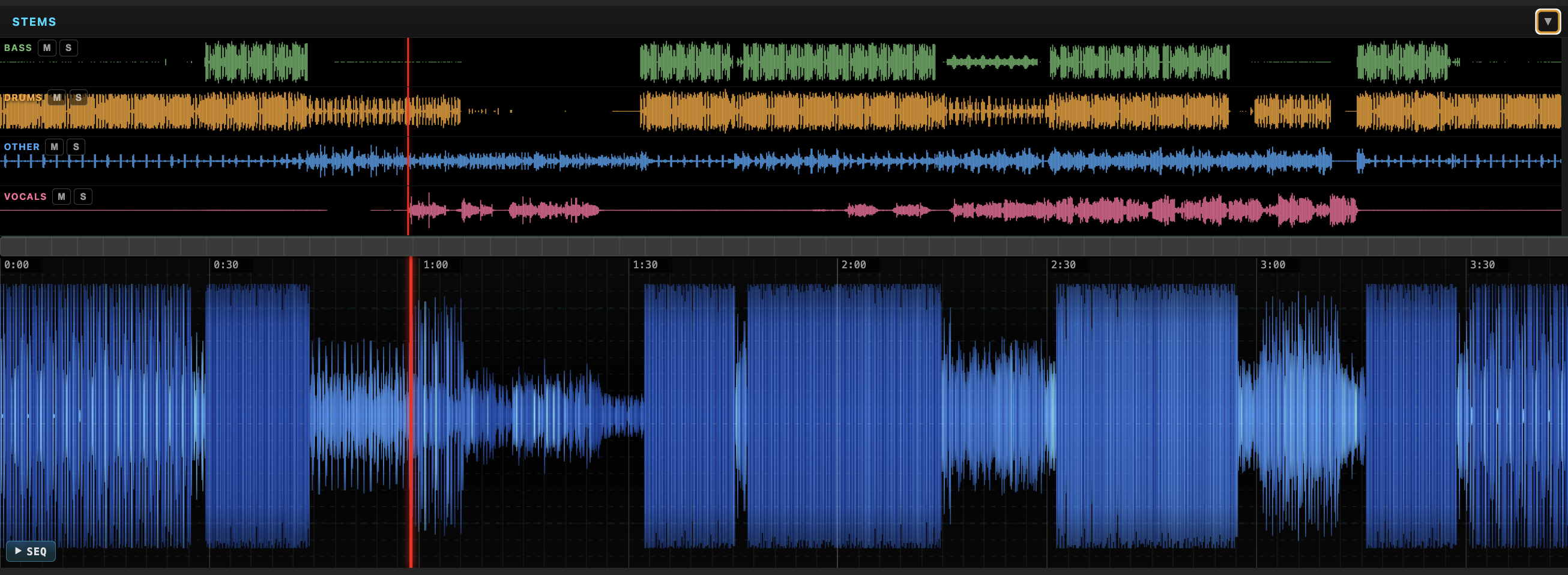
Split any track into its 4 main components Vocals, Drums, Bass and Instruments with one click. Solo stems, build them up layer by layer and watch the waveform update in real time as your mix changes.
Automation
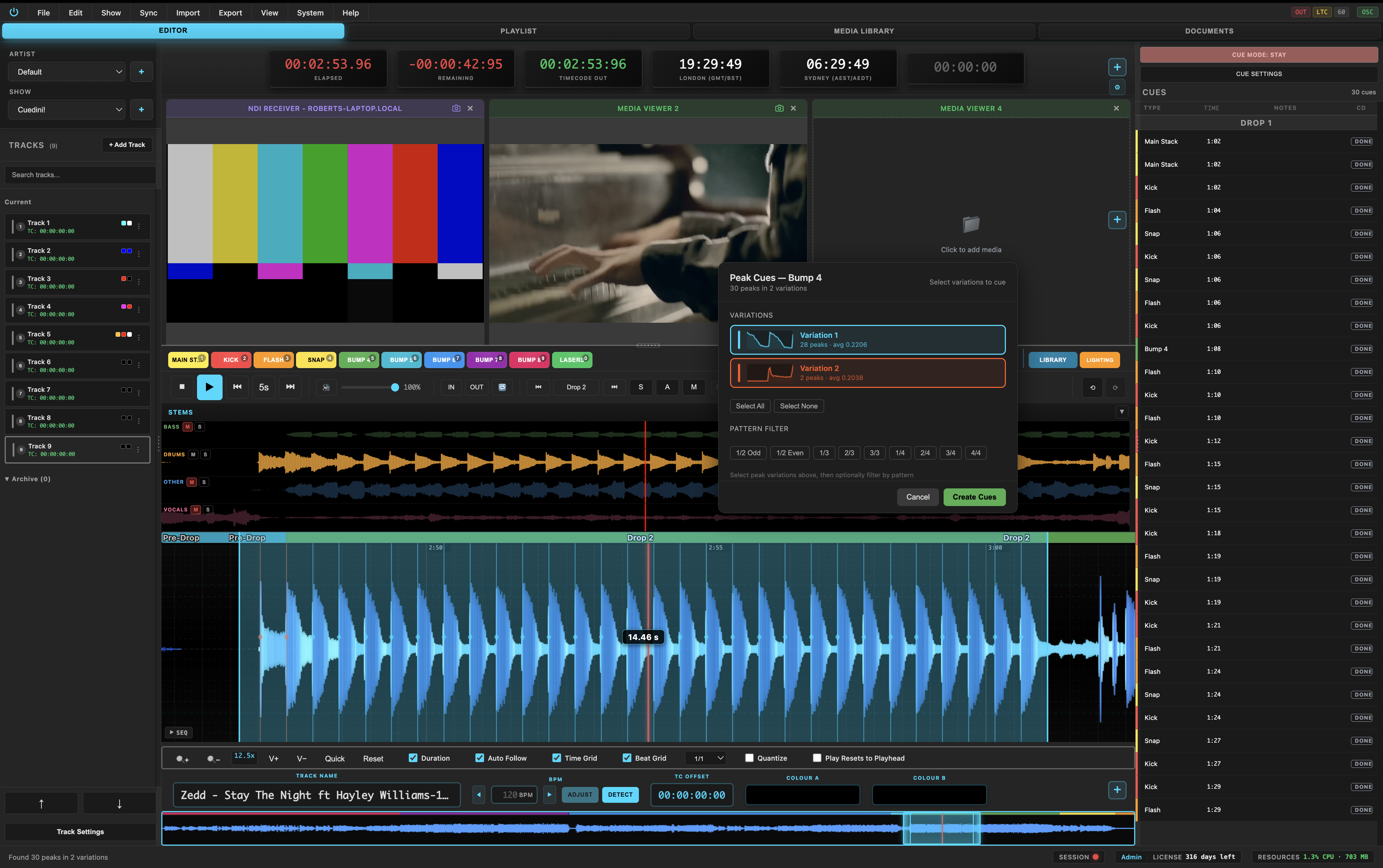
Automatic cue detection from RMS peaks.
Cuedini can auto-detect cue points by analysing RMS loudness peaks across the track. Fast transients, drops and major energy changes are converted into suggested cues you can review and refine.
RMS peak scan
Scan the full track RMS envelope to detect significant peaks, rises and drops where cues are most likely needed.
Smart cue suggestions
Generate suggested markers for intros, builds, impacts and drops, then accept, move, or delete each cue instantly.
Editable, never locked
Auto-detection accelerates your workflow while keeping full manual control so every cue remains show-ready and precise.

Live timecode
Every protocol. One interface.
Generate LTC, Art-Net and MTC timecode from your playhead. Receive LTC, Art-Net, TCNet and MTC from external sources. Lock your entire show to one timecode source.
Multi-clock display
Display unlimited independent clocks simultaneously across 6 modes: Time of Day, Count Up, Count Down, Timecode and Cue clock's. Colour-coded and updating at 60fps.
Industry exports
Export directly to Resolume, disguise, GrandMA and Chamsys. Tracks, cues and layouts mapped automatically so you can open your show in your production software immediately.
Features
Everything you need for showtime.
From AI-powered stem separation to pyrotechnics allocation, Cuedini gives you complete control over every cue.
AI stem separation
One-click AI-powered stem splitting. Isolate vocals, drums, bass and instruments from any track. Solo stems, build them up layer by layer and watch the waveform change in real time.
AI PoweredPyro allocation
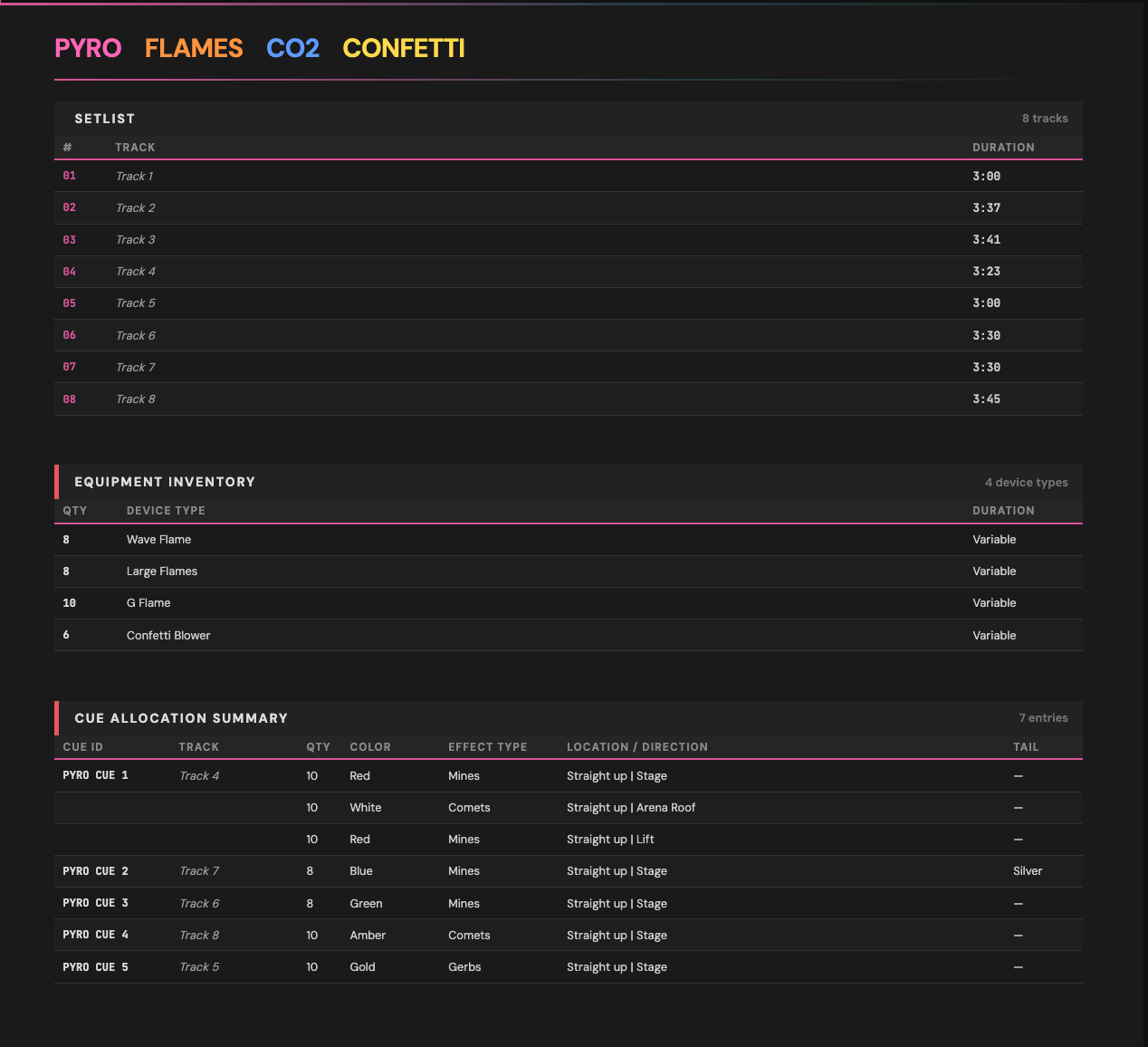
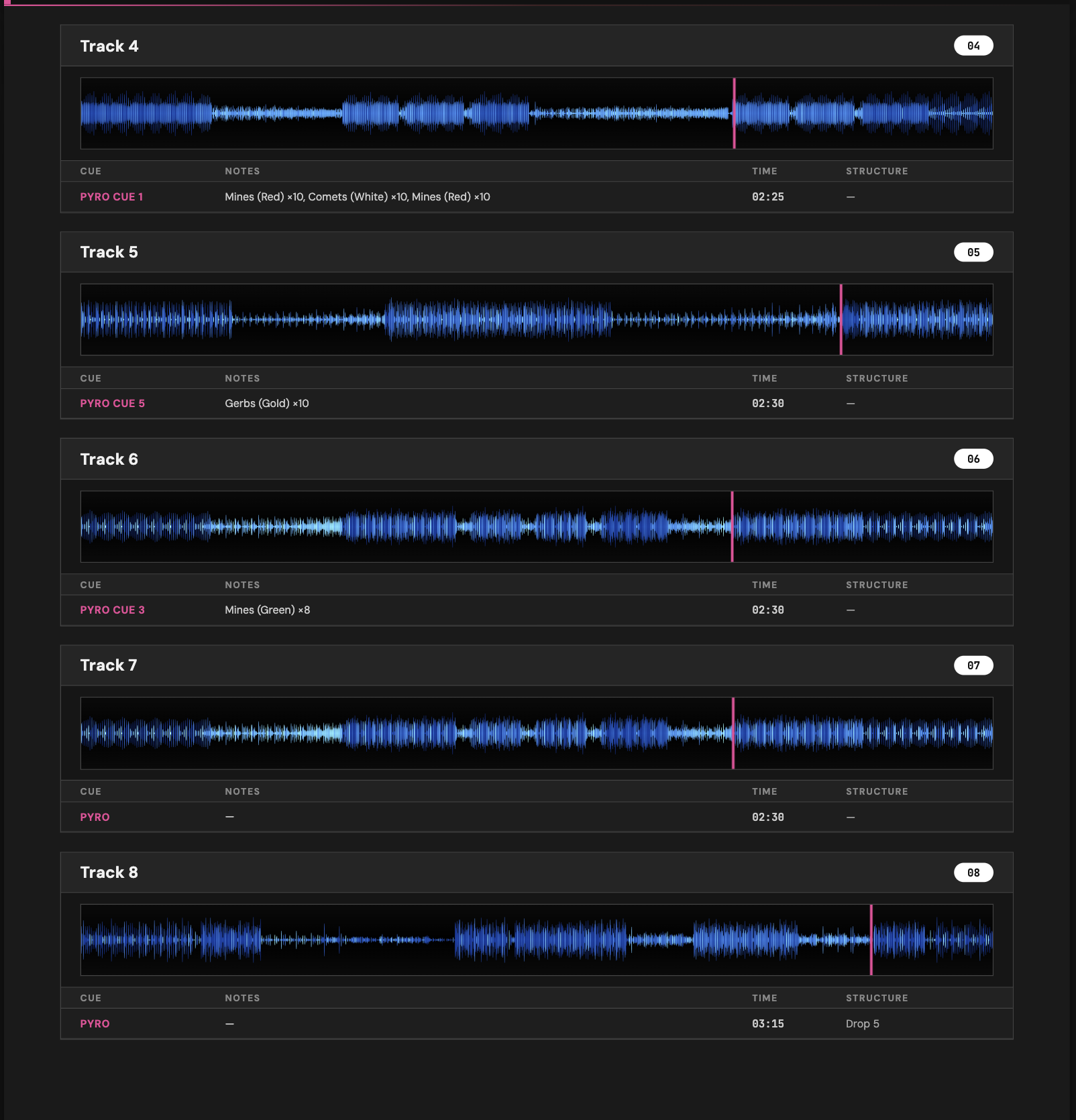
Assign pyrotechnics to any cue with a full allocation system. Define parent cues with sub-cues specifying quantity, colour, type and tail effects. Countdown clocks per pyro cue, show mode that greys out fired cues and full PDF export for your pyro crew.
PyrotechnicsNDI video I/O
Send and receive video over your network with full NDI support. Discover NDI sources and display live feeds in media panels, or broadcast your Cuedini output as an NDI stream to any NDI-capable application on the network.
Send & ReceiveTCNet integration
Sync via the TCNet protocol. Eight layers of deck state and timecode, automatic track highlighting by name matching and colour-coded layer indicators across clocks and tracks.
LTC, Art-Net & MTC timecode
Generate LTC, Art-Net and MTC timecode from the playhead position and receive LTC, Art-Net, TCNet and MTC from external sources. Lock playback to incoming timecode or broadcast outward to your lighting desk and broadcast chain. Dedicated monitors with signal level, FPS, jitter and frame stats.
Generate & ReceiveSend OSC
Fire cues and control external systems via OSC (Open Sound Control). Send OSC messages on cue trigger to lighting desks, media servers, audio playback and any OSC-capable device on your network. Fully configurable per cue.
ControlExport & paperwork
Export your show to industry-standard formats and generate professional PDF documentation.
- ✓ Resolume Avenue / Arena
- ✓ disguise (d3)
- ✓ GrandMA
- ✓ Chamsys
- ✓ Avolites
- ✓ PDF Cue Sheets
- ✓ Show Books & Setlists
IP Show Viewer
A dedicated viewer window with high-quality triband waveforms that mirrors your main session in real time. Export standalone viewer apps for macOS and Windows so your crew can follow along without the full editor.
ViewerLive timecode input
Lock your playhead to incoming timecode from LTC, Art-Net, TCNet or MTC. A green timecode playhead tracks external sync in real time, with automatic track switching by timecode range, FPS auto-detection and a one-click unlock to return to manual mode.
Live SyncTimecode output
Generate LTC and Art-Net timecode from your playhead position. Broadcast to your entire lighting, video and automation rig from a single source of truth.
Timecode input
Receive LTC, Art-Net timecode and TCNet from external sources. Lock your playhead to incoming timecode with auto FPS detection and one-click unlock to return to manual mode.
Live show tracking
Follow along in real time during the show. The Live Viewer gives your crew a full waveform, cue countdowns and current timecode, so everyone knows exactly where you are.

Cue system
Pages of cues. Everyone in sync.
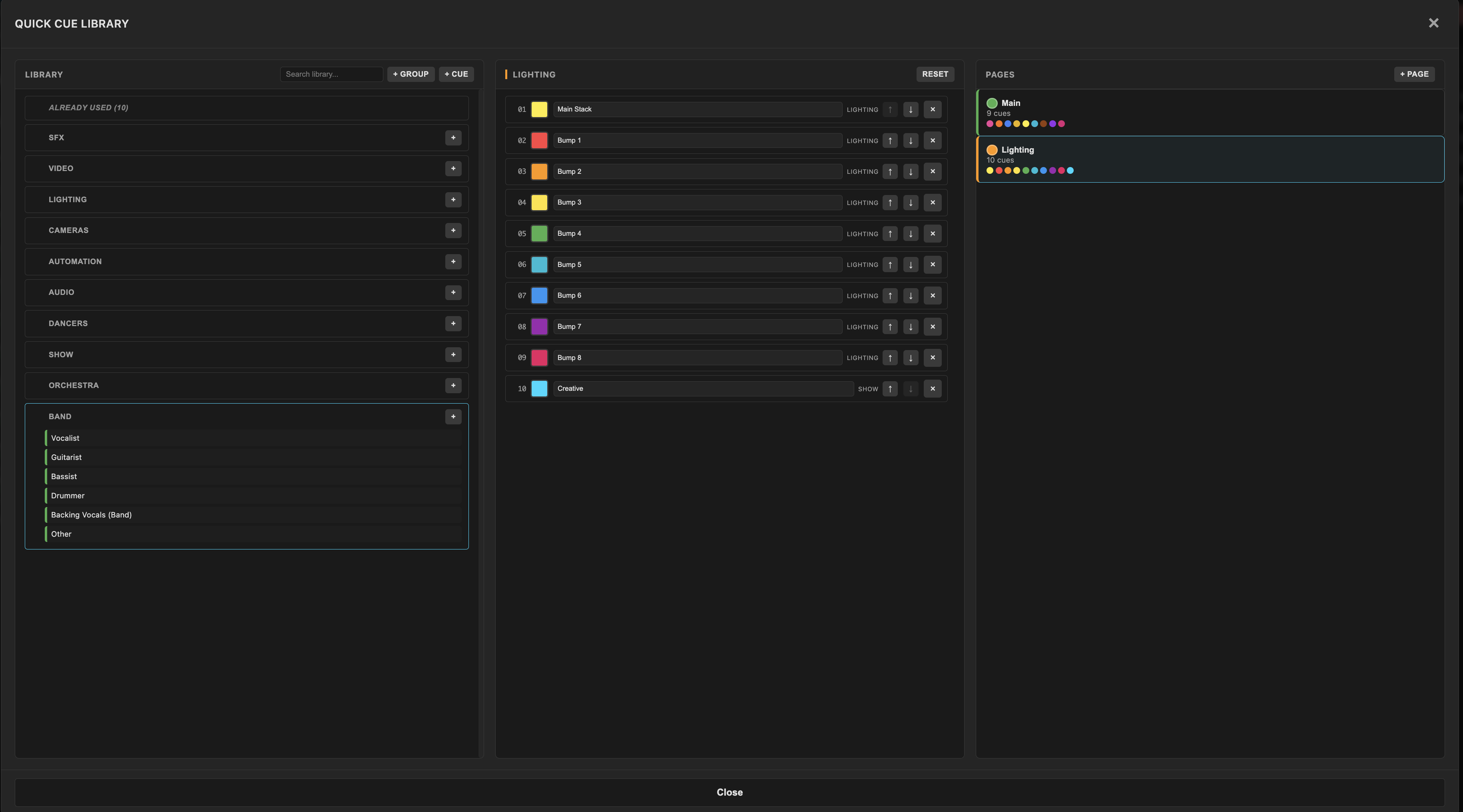
Build a complete cue library organised by department: Lighting, Video, Audio, Pyro, Cameras, Automation and more. Create multiple pages so every operator has exactly the cues they need and stay synced across your entire team via Cloud Storage.
Department groups
Organise cues into departments: SFX, Video, Lighting, Cameras, Automation, Audio, Dancers, Show, Orchestra, Band or add your own custom groups.
Cue pages
Create multiple pages of cues so each operator sees only what's relevant to them.
Switch pages instantly during the show without losing your place.
Cloud storage
Save your show file to Cloud Storage and every team member stays connected. Changes sync across machines so lighting, audio and video operators are always working from the same show.
Show mode
Countdown indicators per cue. Fired cues grey out so you always know what's been triggered and what's coming next.
Waveform cue markers
Every cue is visible directly on the waveform with labelled markers like Click, Build, Horn, Drop, Vox, so you can see the full show structure at a glance.
1000's of cues per track
No limits on cue count. Assign type, time, notes and countdown to every cue. Colour-coded by department for instant visual identification.
Live viewer
Give your crew a window into the show.

System Requirements
| Platform | Chip | Memory | Operating System |
|---|---|---|---|
| macOS Apple Silicon | M1 or later | 8 GB RAM minimum | macOS 13 Ventura or later |
Updates & Waitlist
Waitlist now open.
Be the first to know when Cuedini launches. Join the waitlist for updates, waiting list access, and priority onboarding.
Waiting List
Be the first to know when Cuedini launches. Get early access, updates and priority onboarding.
- ✓ Early access to Cuedini
- ✓ Priority onboarding
- ✓ Development updates
Cuedini Creative
The complete Cuedini toolkit - everything you need to build and run professional shows.
TBCCuedini Professional
Everything in Creative, plus AI-powered stem separation and intelligent cue creation.
TBCFor Teams
Multiple licences for touring crews, production companies and studios. Volume pricing and shared admin.
All paid licences come with a 7-day full refund guarantee - no questions asked.
Terms & Conditions